Music is now a real part of Sociale. Every member has their own playlist, the Sociale playlist of the room is open to everyone to listen, like and comment, and your favourite songs can even play on Sociale Radio. For every song approved you earn 10 coins. This guide explains everything, step by step.
In this guide: 1. Where to find your playlist · 2. How to add a song · 3. Public playlist, radio or only for you · 4. Limits and coins · 5. Listening to your songs · 6. The Sociale playlist: likes, comments, song of the week · 7. Your songs on Sociale Radio · 8. Notifications · 9. Questions.
Quick links: My playlist · Sociale playlist · Sociale Radio · Notifications · Room rules
1. Where to find your playlist
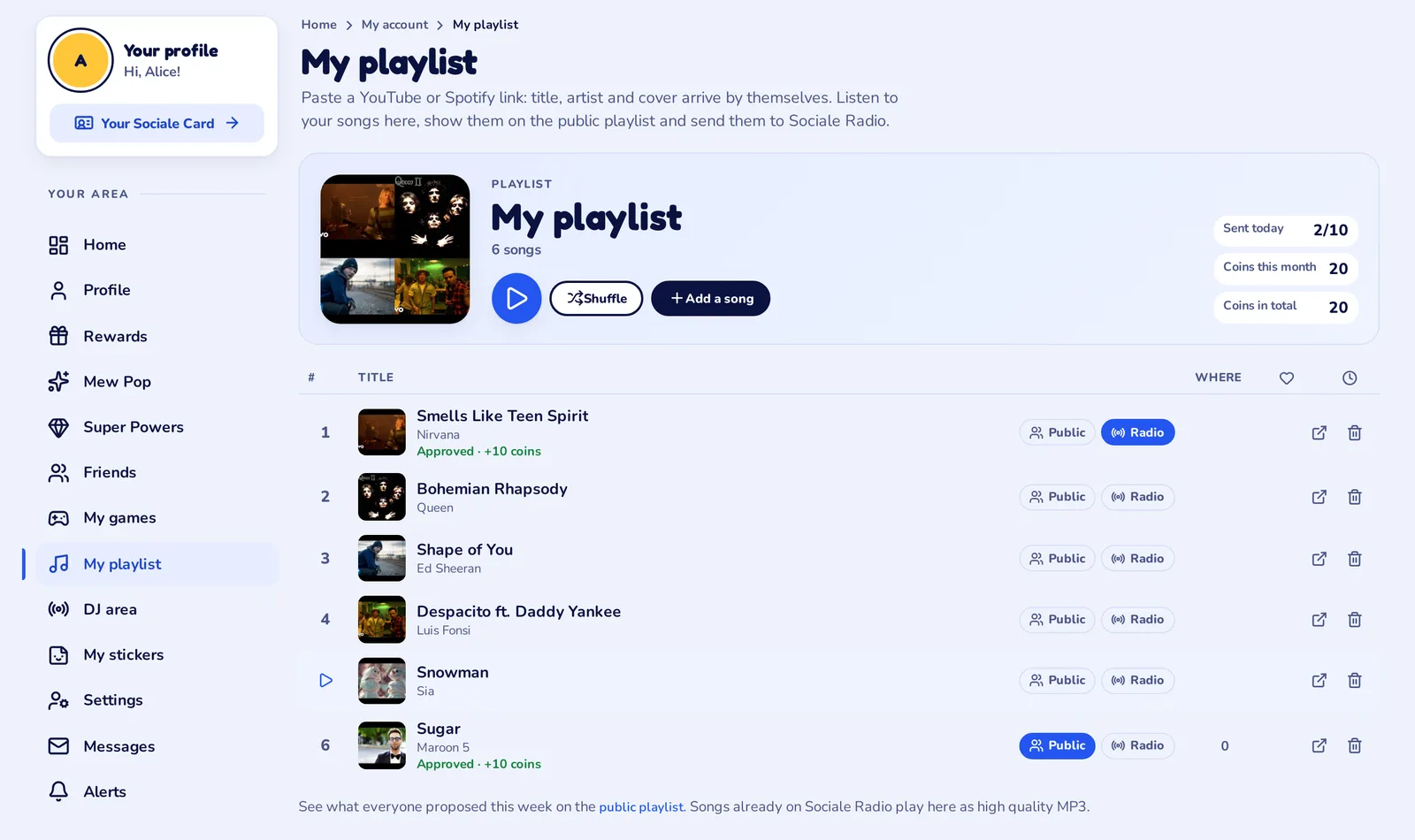
Log in and open Your area: in the menu on the left you find My playlist. The address is mysociale.net/me/playlist.

At the top you see your playlist: the covers of your songs, how many songs you have, the likes they got, and your numbers on the right: songs sent today (for example 2/10), coins this month and coins in total.

2. How to add a song
- On My playlist press Add a song.
- Open the song on YouTube or Spotify, copy its link (Share, Copy link) and paste it in the box.
- After a moment the cover, the title and the artist arrive by themselves. Check them: you can correct them if something is wrong (for example a title in capital letters).
- Choose where the song goes (see the next point) and press Save and send (or Save in my playlist if you keep it only for yourself).
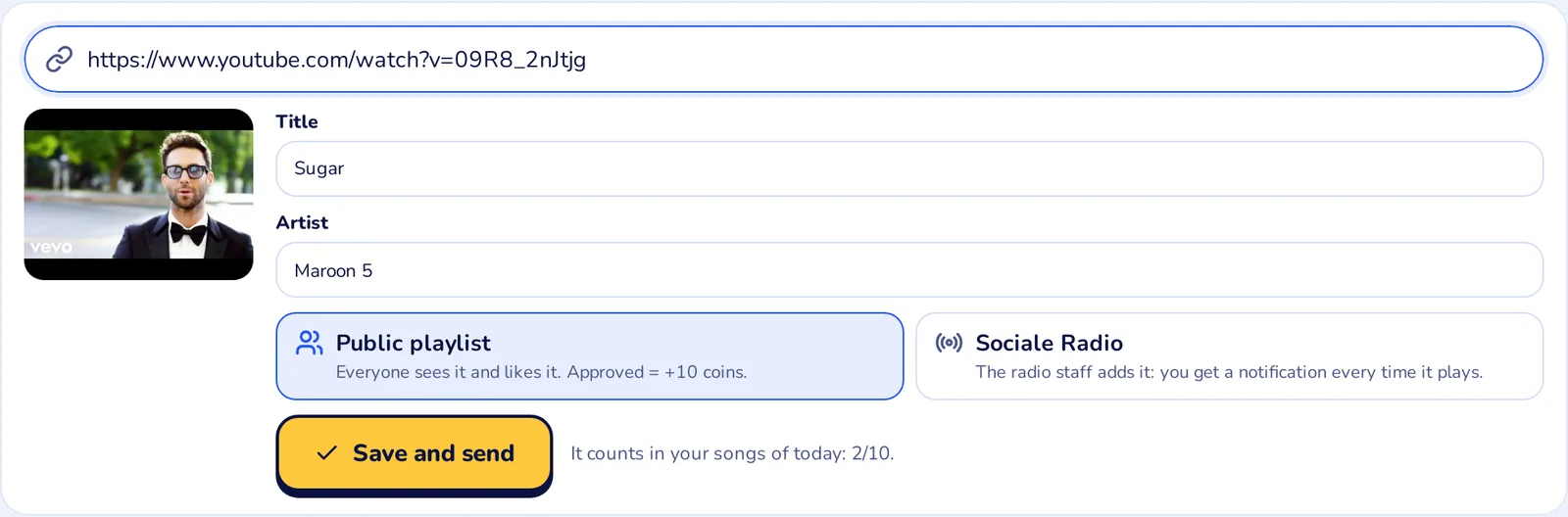
Links that work: youtube.com, youtu.be, music.youtube.com, YouTube Shorts and open.spotify.com songs.
3. Public playlist, radio or only for you
For every song you choose:
- Public playlist: the song goes in the Sociale playlist of the week, where everyone listens to it, likes it and comments it. The staff checks it first.
- Sociale Radio: you ask to hear it on the radio. The staff checks it, then the radio staff adds it (point 7).
- Both: tick both boxes.
- Nothing ticked: the song stays only in your playlist. Only you see it, to listen to whenever you want.
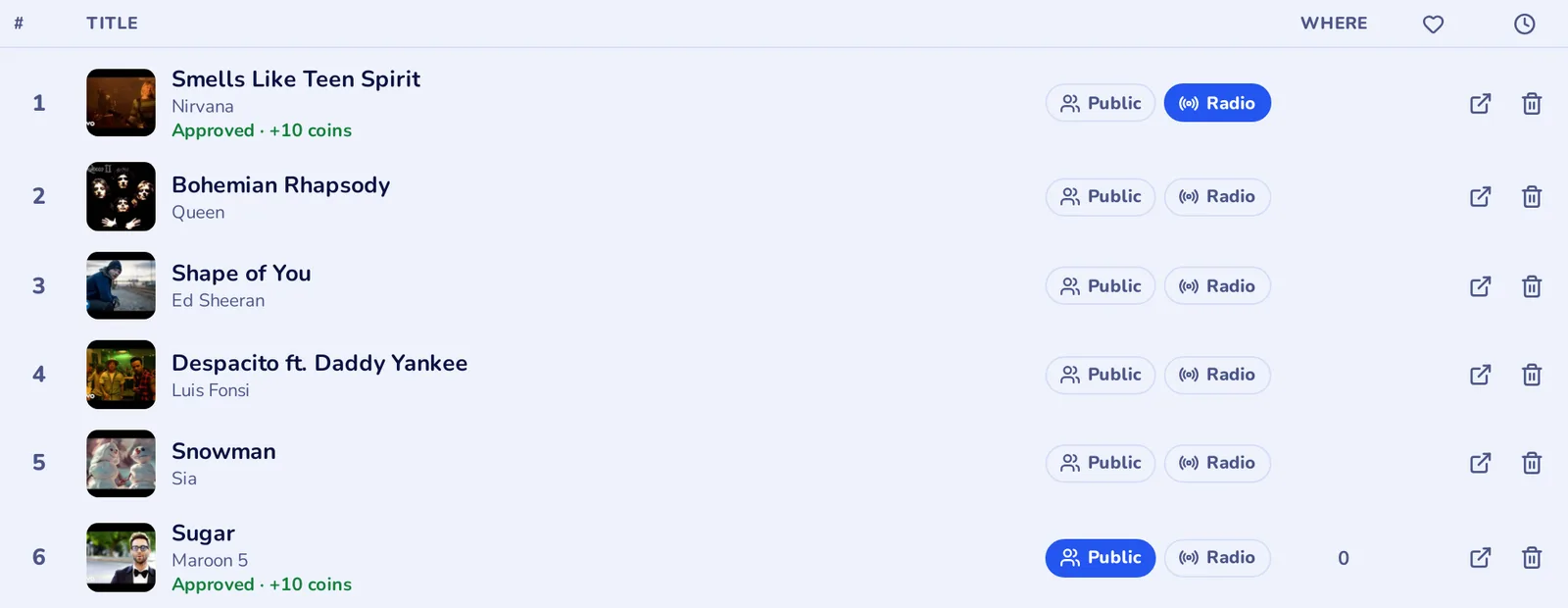
You can change your mind later: in the list every song has the buttons Public and Radio. Blue = on. Under the title you see the status: Waiting for the staff, Approved · +10 coins or Not added with the reason. The green MP3 label means the song is already on Sociale Radio.
4. Limits and coins
- You can send up to 10 songs a day to the public playlist or to the radio. The day is the Italian day: the counter starts again at midnight (Italian time). Songs you keep only for yourself do not count.
- Every song approved by the staff gives you 10 coins, so up to 100 coins a day. A song that is not approved gives no coins.
- The coins arrive as soon as the song is approved, with a notification.
- If an approved song is removed later by the staff (for example because it breaks the room rules), its 10 coins are taken back.
- On the first day of every month you get a summary of your month: how many songs were approved and how many coins you earned.
- Your numbers are always at the top of My playlist and on your profile, in the block Music I like.
5. Listening to your songs
Your playlist is also a music player. Press the big Play button to listen to everything, Shuffle to mix the songs, or tap a single song. The player at the bottom shows the song, the buttons previous, play/pause and next, and the time bar (tap it to move forward or back). When a song ends, the next one starts by itself.
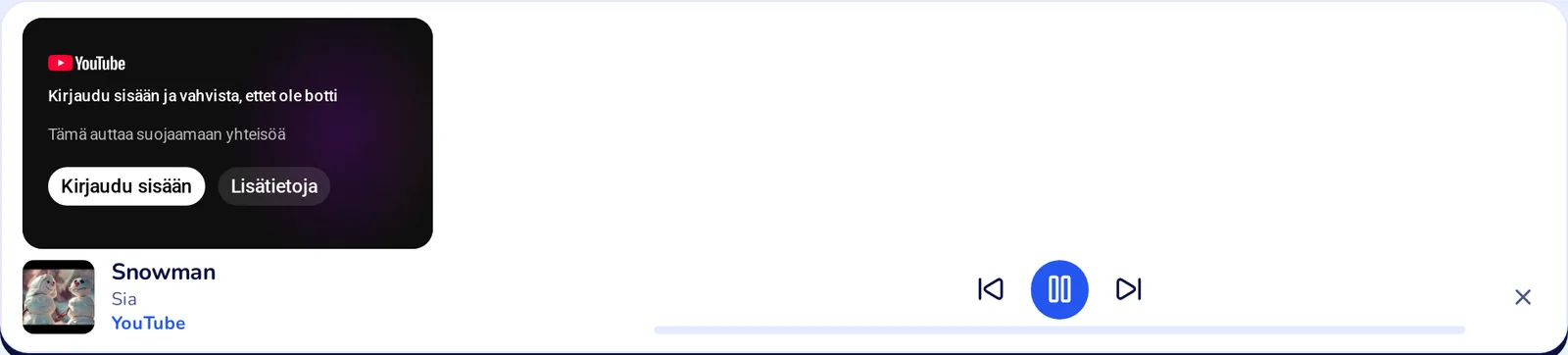
Songs that are already on Sociale Radio play as a high quality MP3 from our server, without ads. The others play with the YouTube player (or the Spotify player).
6. The Sociale playlist: likes, comments and the song of the week
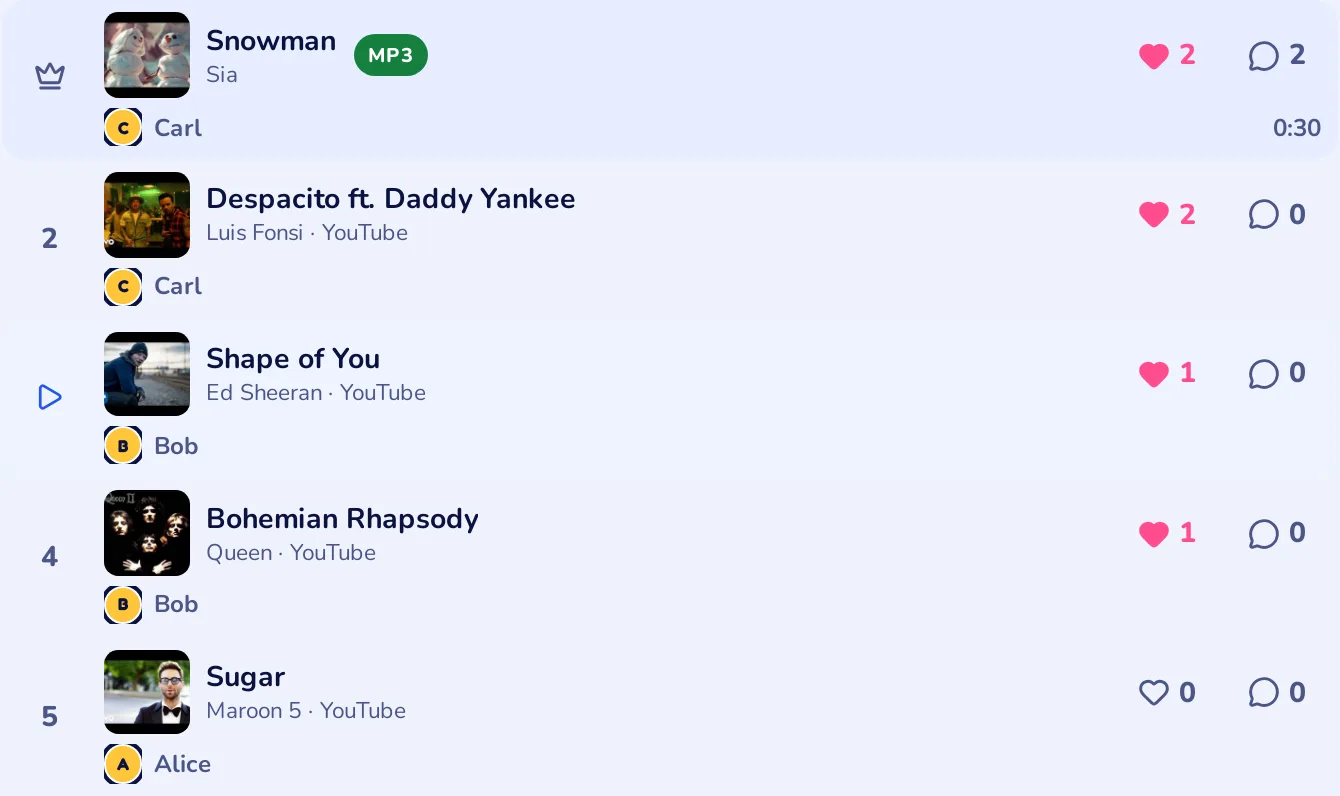
The Sociale playlist is the ranking of the week with the songs chosen by the members. At the top you see the week, when it ends, how many songs and likes there are, and the song leading the week.
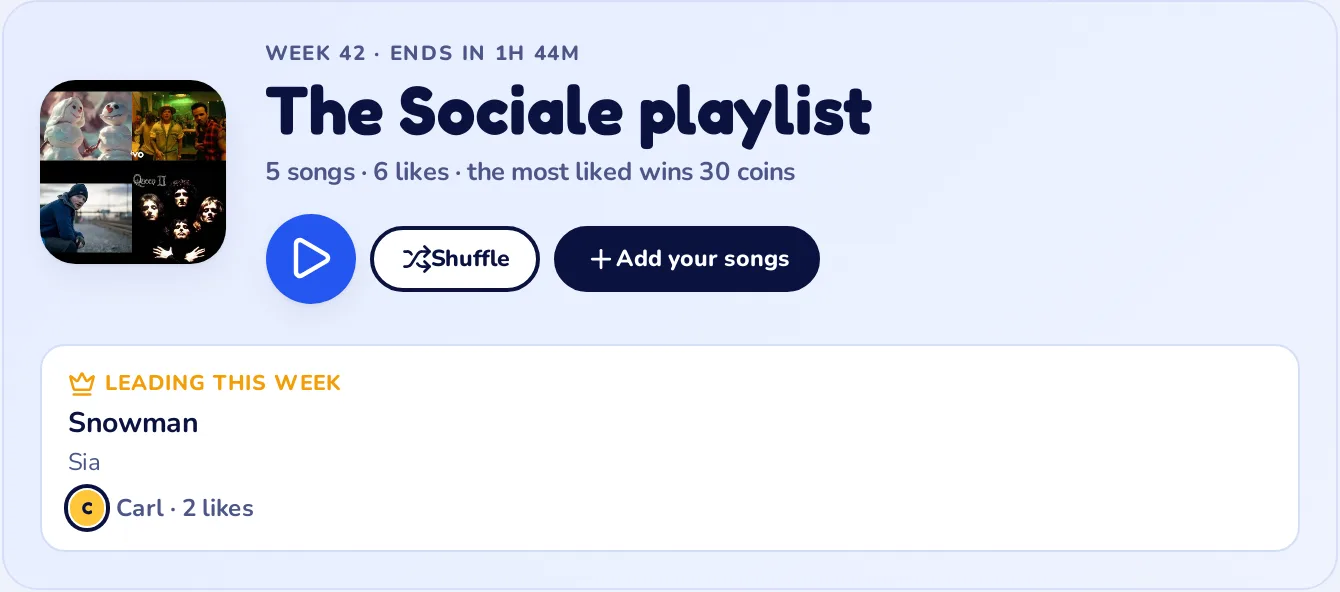
For every song you see who proposed it, the likes (heart) and the comments (speech bubble):
- Like every song you love. You can like as many songs as you want, but not your own.
- Listen to the whole playlist with one tap, or to a single song.
- The first song has the crown: at the end of the week the most liked song becomes the song of the week and who proposed it wins an extra prize in coins.
- With the buttons at the top you can look back at the past weeks, and at the bottom at all the songs of the week.
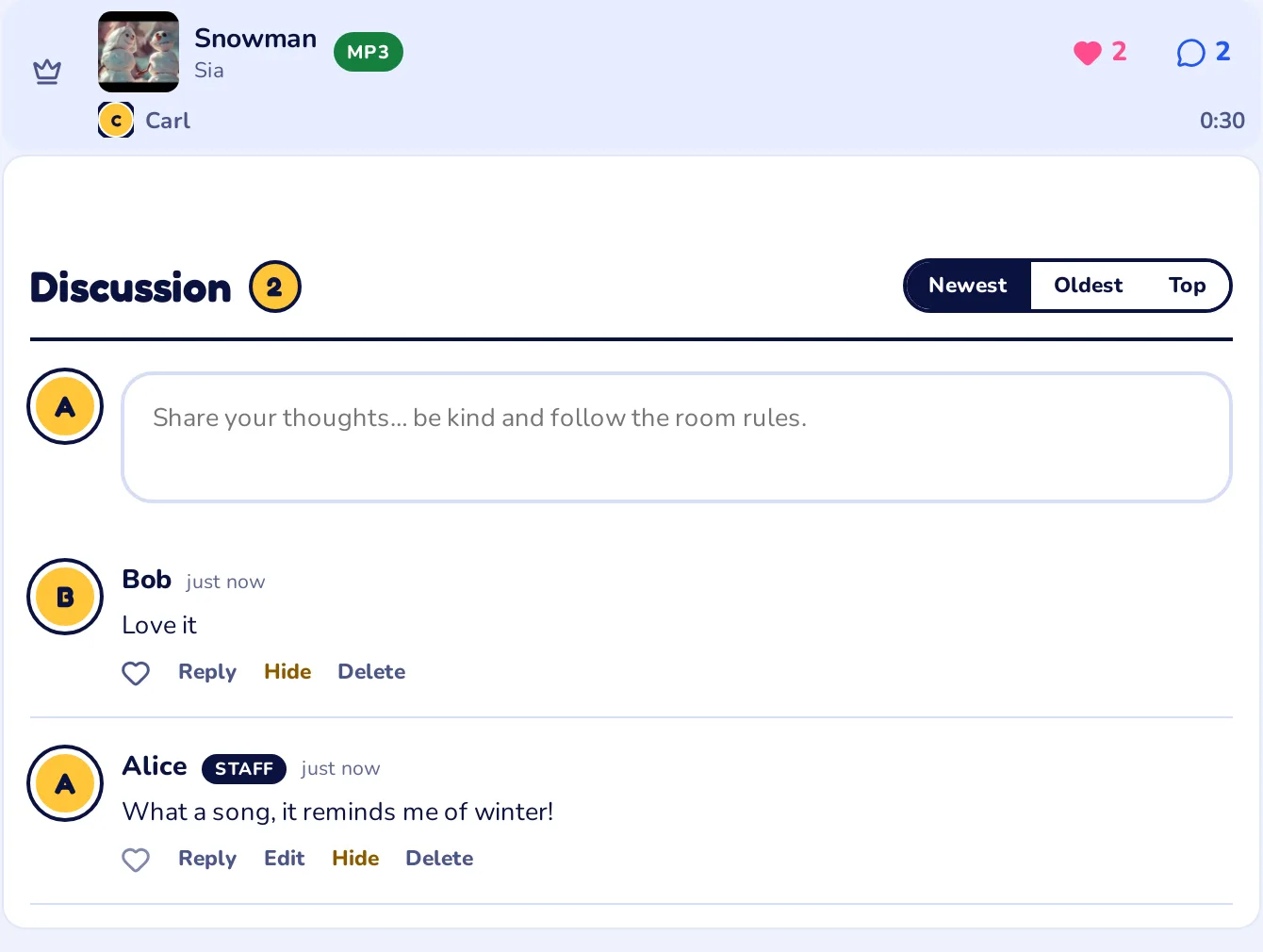
Comments: tap the speech bubble of a song and the discussion opens right under it. Write what you think, reply to the others and like their comments. Comments are checked by the staff before everyone sees them, like on news and events.
To add a song to the Sociale playlist press Add your songs: it takes you to My playlist (songs are sent from there, not from the public page).
7. Your songs on Sociale Radio
If you tick Sociale Radio, after the approval your song reaches the radio staff. They add it to the music of the radio, in the Playlist Sociale, and it starts playing among the other songs. A song can go to the radio even if you do not show it on the public playlist.
When your song is on the radio, in My playlist it has the label On the radio and the green MP3 label.
8. Notifications
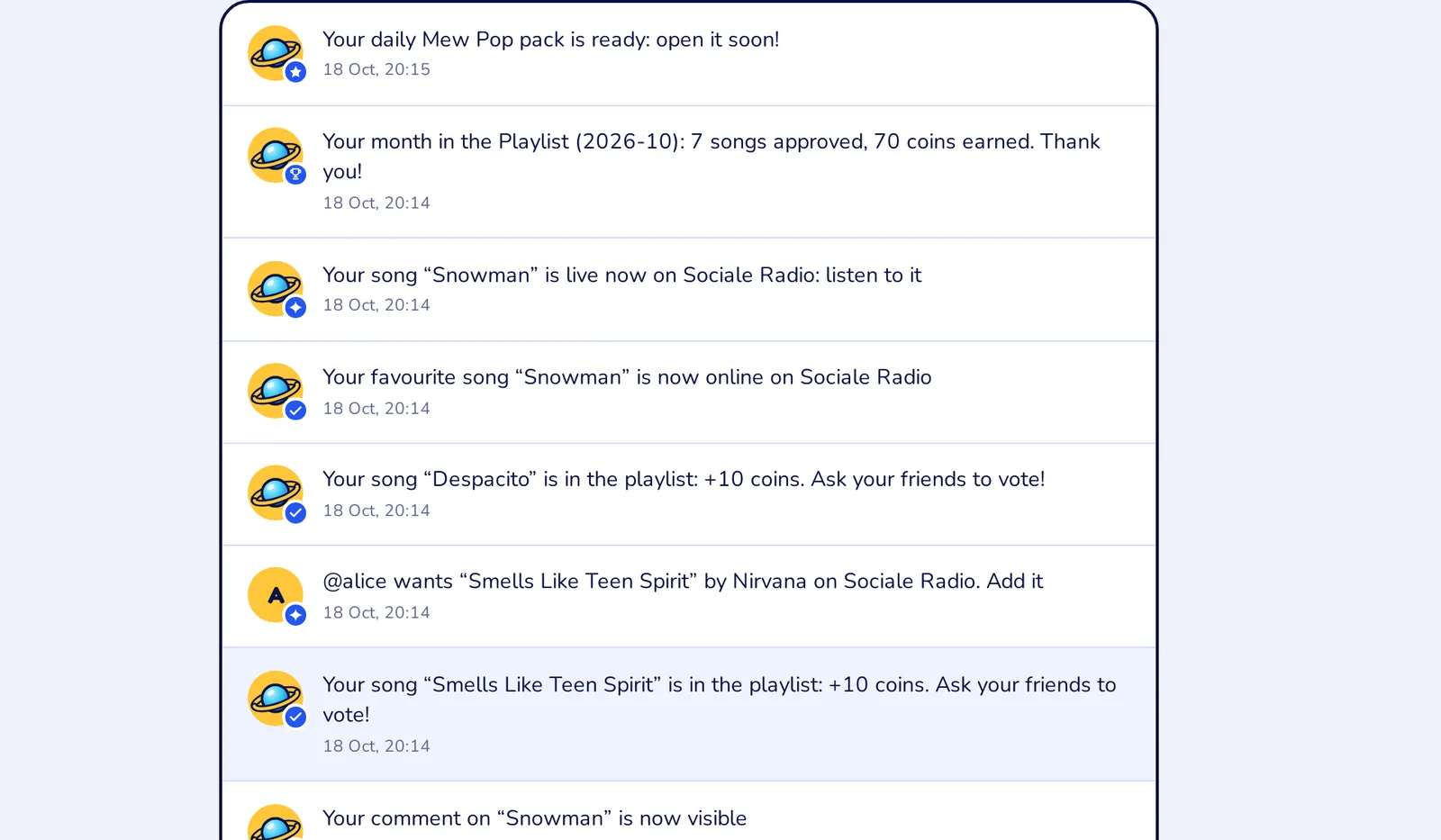
You are always told what happens to your songs, on the site, as a push notification on your phone and on Telegram if you turned them on:
- Your song is in the playlist: +10 coins when it is approved;
- Your favourite song is now online on Sociale Radio when the radio adds it;
- Your song is live now on Sociale Radio: listen to it every time it plays (tap it and the radio page opens);
- the summary of your month in the Playlist, on the first day of every month;
- replies to your comments.
9. Questions
Do I need an account? To listen to the Sociale playlist no. To have your playlist, send songs, like and comment you need a free account on mysociale.net.
Do the songs I keep only for myself count in the 10 a day? No, only the songs you send to the public playlist or to the radio.
I sent 10 songs today and some were not approved. Can I send more? Not today: the limit is on the songs sent. Tomorrow you can send 10 more.
When do I get the coins? As soon as the staff approves the song: 10 coins for each approved song. You see them in My playlist and in your coins.
Can I delete a song? Yes, with the bin in your playlist. If it was already approved in the public playlist of the week, it stays there and you keep its coins.
Can I send the same song twice? No: a song can be only once in your playlist, and only once in the public playlist of the week.
Why was my song not added? The reason is in the notification and under the song in your playlist. Songs must follow the room rules: no songs that promote hate or violence.
Can I choose when my song plays on the radio? No, the radio mixes the songs of the Playlist Sociale by itself. You get a notification every time yours plays.
Start now: open My playlist, paste your first song and see you in the Sociale playlist!