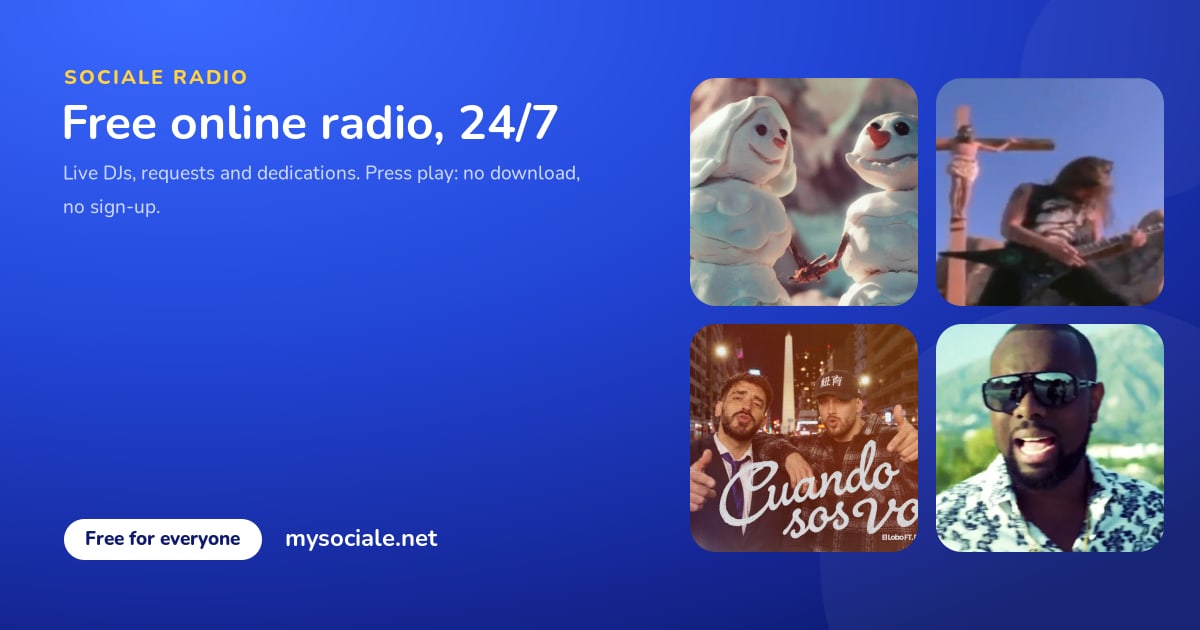
Sociale Radio is the free online radio of the Sociale community: on air 24 hours a day, with live shows by our DJs and, between shows, the songs chosen by the members. You can listen without an account. With a free account you can do much more: request songs, write dedications, vote the Top 20, win coins and show your music on your profile. This guide explains everything, step by step.
In this guide: 1. How to listen · 2. The songs, the artists and the playlists · 3. Hearts and the Top 20 Sociale · 4. Requests and dedications · 5. Priority requests · 6. Coins for listening · 7. Guess the song · 8. The DJs and the schedule · 9. Open mic · 10. Your music on Sociale · 11. Widgets for your site · 12. Notifications · 13. Questions.
Quick links: Sociale Radio · Full-screen player · Songs · Playlists · Top 20 · Schedule · Open mic · Widgets · Sociale Radio in numbers
1. How to listen
- On the radio page: open mysociale.net/radio and press Play. You see the song on air, the last songs played and, during a live show, the DJ.
- Full screen: mysociale.net/radio/listen is the big player. It has a large cover, the volume, a sleep timer (15, 30, 60 or 90 minutes), the share button and the last songs with links to YouTube and Spotify. On the phone you control it also from the lock screen.
- While you chat: the radio keeps playing while you move around the site.
- In VLC or radio apps: open the link mysociale.net/api/v1/radio/listen.m3u with VLC or any app that plays internet radio.
It is free, there is no download and you do not need an account to listen.
2. The songs, the artists and the playlists
Every song of the radio has its own page: mysociale.net/radio/songs. On each page you find:
- the official video (YouTube) and the link to Spotify;
- a short description of the song, its genre and its mood;
- the stars: give it from 1 to 5 stars;
- the button Request it on the radio;
- the dedications made with that song, the songs you may like if you like this one, and the comments of the community.
Every artist has a page too, with all their songs on the radio. Press Follow on the page of an artist: when one of their songs plays on Sociale Radio you get a notification.
The playlists (mysociale.net/radio/playlists) group the songs of the radio by genre (reggaeton, pop, dance...) and by mood (party, chill, romantic, summer...). They are created by themselves when a genre or a mood has at least 8 songs, so new playlists arrive as the radio grows.
Want to add your songs to the radio? Use My playlist: the guide My playlist on Sociale explains how.
3. Hearts and the Top 20 Sociale
While a song plays, press the heart (on the radio page, in the full-screen player, on the page of the song or in the Top 20). The 20 songs with the most hearts of the week make the Top 20 Sociale: mysociale.net/radio/top-20.
- The chart closes every Sunday at 8 pm (Italian time) and a new week starts.
- Every past week keeps its own page, so you can look back at the charts of the past weeks.
- The chart has an image to share on WhatsApp, Telegram and Instagram stories.
4. Requests and dedications
During a live show you can send a request to the DJ: on the radio page write the song and, if you want, who it is dedicated to and a short message. You can send one request every 3 minutes.
Every dedication gets its own page with a nice image (the song, who it is for and your message). Share it on WhatsApp, Telegram or in the Sociale feed: it is the most beautiful way to tell someone "this song is for you".
5. Priority requests
When there is no live show, you can still choose the next song: with a priority request the song you choose plays as one of the next songs on the radio.
- It costs 50 coins, and you can make up to 3 a day.
- You choose among the songs of the radio. A song requested in the last hour cannot be requested again, and at most 5 requests can wait at the same time.
- You can add a dedication to it.
- During a live show priority requests are closed: send your request to the DJ instead.
6. Coins for listening
Listen to Sociale Radio with your account and you earn coins: after 30 minutes of listening the button I am here appears on the radio page. Press it and you get 5 coins. You can do it up to 4 times a day (up to 20 coins a day). The button is there to check that you are really listening.
7. Guess the song
During live shows the DJ can start a round of Guess the song: the song plays but its title is hidden. Write the title on the radio page: you have 90 seconds. The first 3 who guess it win 20 coins each. Small typing mistakes are accepted.
8. The DJs and the schedule
The DJs of Sociale Radio are part of the Sociale team: meet them on the Staff page. Every DJ has their own page with their music, their next live shows and their last shows on air (the link DJ page on their card).
The schedule shows the live shows of the next 14 days, in the time of your device. Every show has the buttons to add it to your calendar (Apple, Outlook, Android and Google Calendar). Follow a DJ on Sociale and you get a notification when they go live and 15 minutes before their shows.
Sometimes we also host guest DJs from other xat rooms: their card shows the room they come from.
Want your own show? Apply as Radio DJ on Join the team.
9. Open mic
In the open mic nights every member can go live on Sociale Radio for a few minutes, right from the browser: sing, talk, say hello to your friends. Open mysociale.net/radio/open-mic, join the queue and wait for your turn: you get a notification when it is your turn.
10. Your music on Sociale
- Music profile: mysociale.net/u/your-name/music shows the songs you love on the radio, the songs you brought to the radio, your five-star songs, the artists you follow and your dedications. Choose who sees it in Settings, Privacy (row Music profile). You find it also with the button Music profile on your profile.
- Your playlist as a page: mysociale.net/u/your-name/playlist. At the start only you see it: choose who sees it at the top of My playlist.
- My month on Sociale: mysociale.net/me/month shows your month in numbers (hearts, songs, dedications, posts, comments, check-ins, songs guessed) and the songs of the month. Nobody sees it until you press Make it shareable: then you get a public page and an image for your stories.
11. Widgets for your site
Have a website, a blog, a forum or an xat room? Put Sociale Radio on it for free: on mysociale.net/radio/widgets copy the code of the player, of the mini player, of the last songs or of the schedule.
12. Notifications
- your song is online on the radio, and every time it plays;
- a song of an artist you follow is on air (at most once every 3 hours for the same artist);
- a DJ you follow is live, or their show starts in 15 minutes;
- a song you brought to the radio is in the Top 20 of the week, with its position;
- your request is playing now;
- it is your turn at the open mic.
Notifications arrive on the site, as push notifications on your phone (with the Sociale app) and on Telegram if you turned them on.
13. Questions
Is Sociale Radio free? Yes, always. To listen you do not need an account. With a free account you can request songs, write dedications, vote the Top 20 and win coins.
Can I download the songs? No. Sociale Radio is a live radio and does not share music files. On the page of every song you find the official video and the Spotify link.
Who chooses the songs? The members propose them from their playlist, the staff approves them and the DJs play them live. The most loved songs of the week make the Top 20.
Can I see how many people are listening? No: listener numbers stay private to the radio staff. On Sociale Radio in numbers you find the songs, artists, DJs, shows and charts.
In which languages is the radio? The community speaks Italian, Spanish and English, and the music is international: reggaeton, latin and Italian pop, dance and much more.
Press Play on Sociale Radio, give a heart to your favourite song and see you in the chat!