Welcome to the Sociale xat suite. Everything you want to know about xat powers is now on mysociale.net, in one place and for free: every power with its price and smilies, the latest power with a countdown, handy xat tools, a new xat card with the picture of every power, and two new widgets for your profile.
Here is what is new, with a link to every page so you can try it right away.
Every xat power, with its price
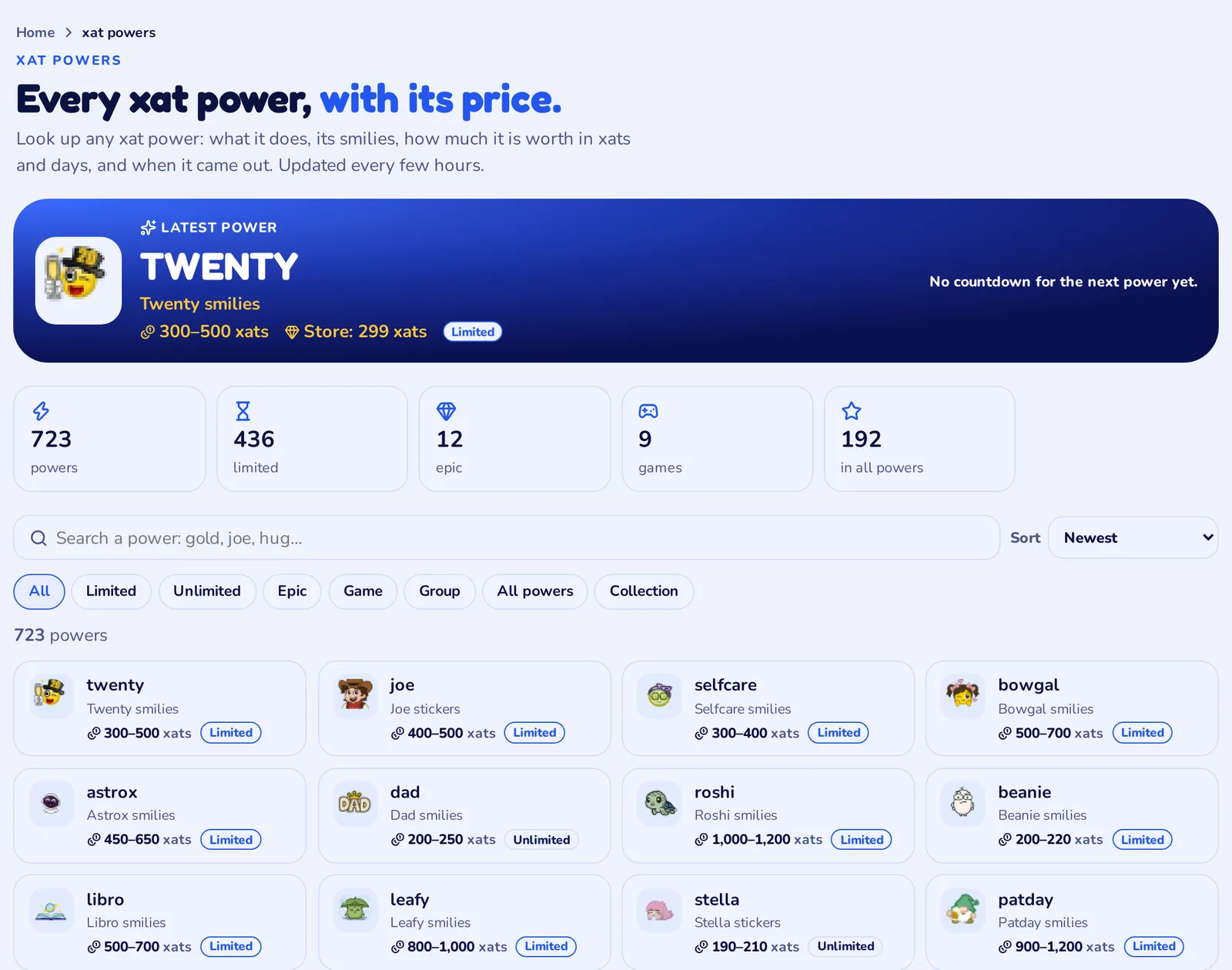
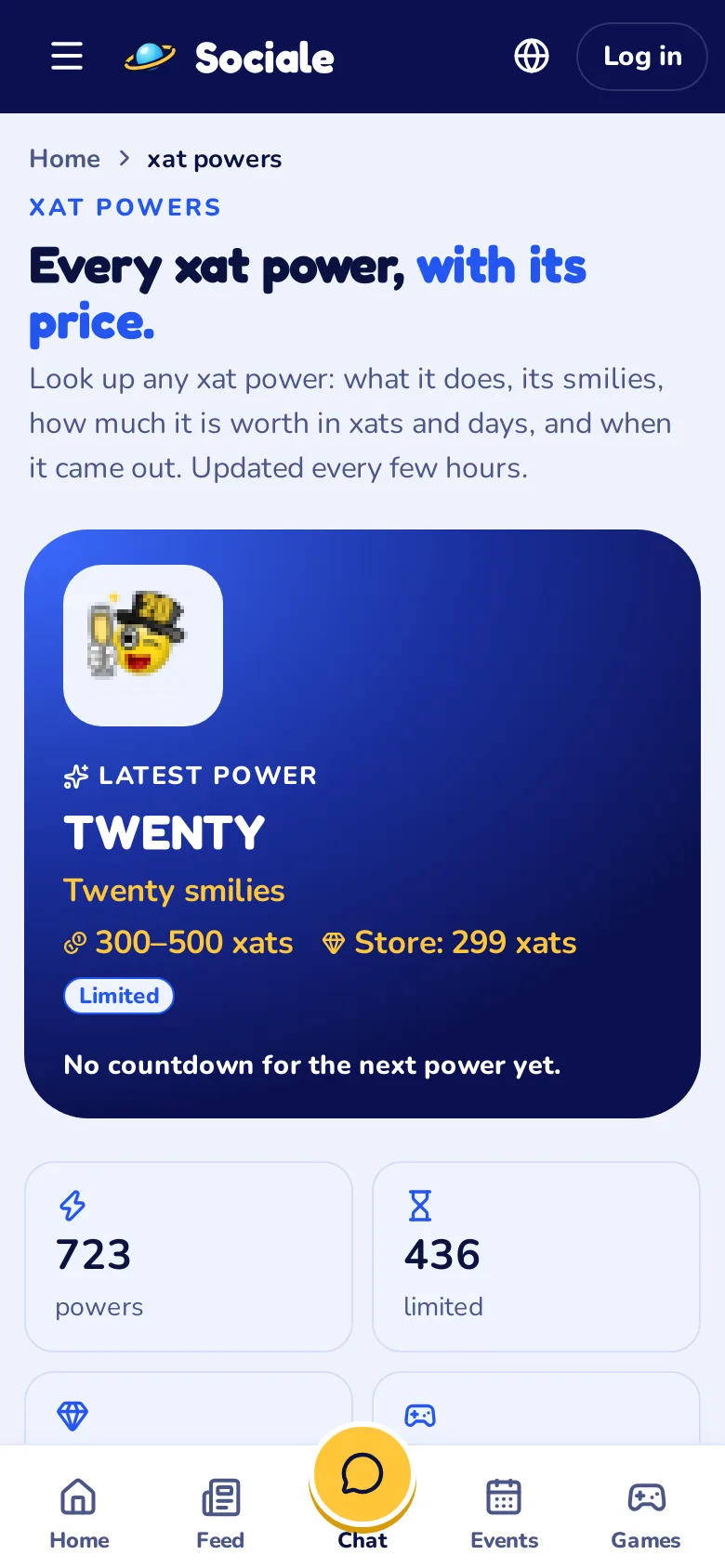
Open xat powers in the menu. You find all the xat powers in one list, more than 700, each with its picture, what it does and how much it is worth between users, in xats and in days.
- Search a power by name: gold, joe, hug…
- Filter: Limited, Unlimited, Epic, Game, Group, All powers, Collection.
- Sort by newest or by price, from the highest or the lowest.

At the top there is always the latest power that came out on xat, with its price in the store. When xat announces the next one, a countdown shows how long is left.
A page for every power
Tap a power and its page opens. Take TWENTY: you see the price between users and in the store, the value in days, the release date and all its smilies, animated, with the code to use them in the chat.
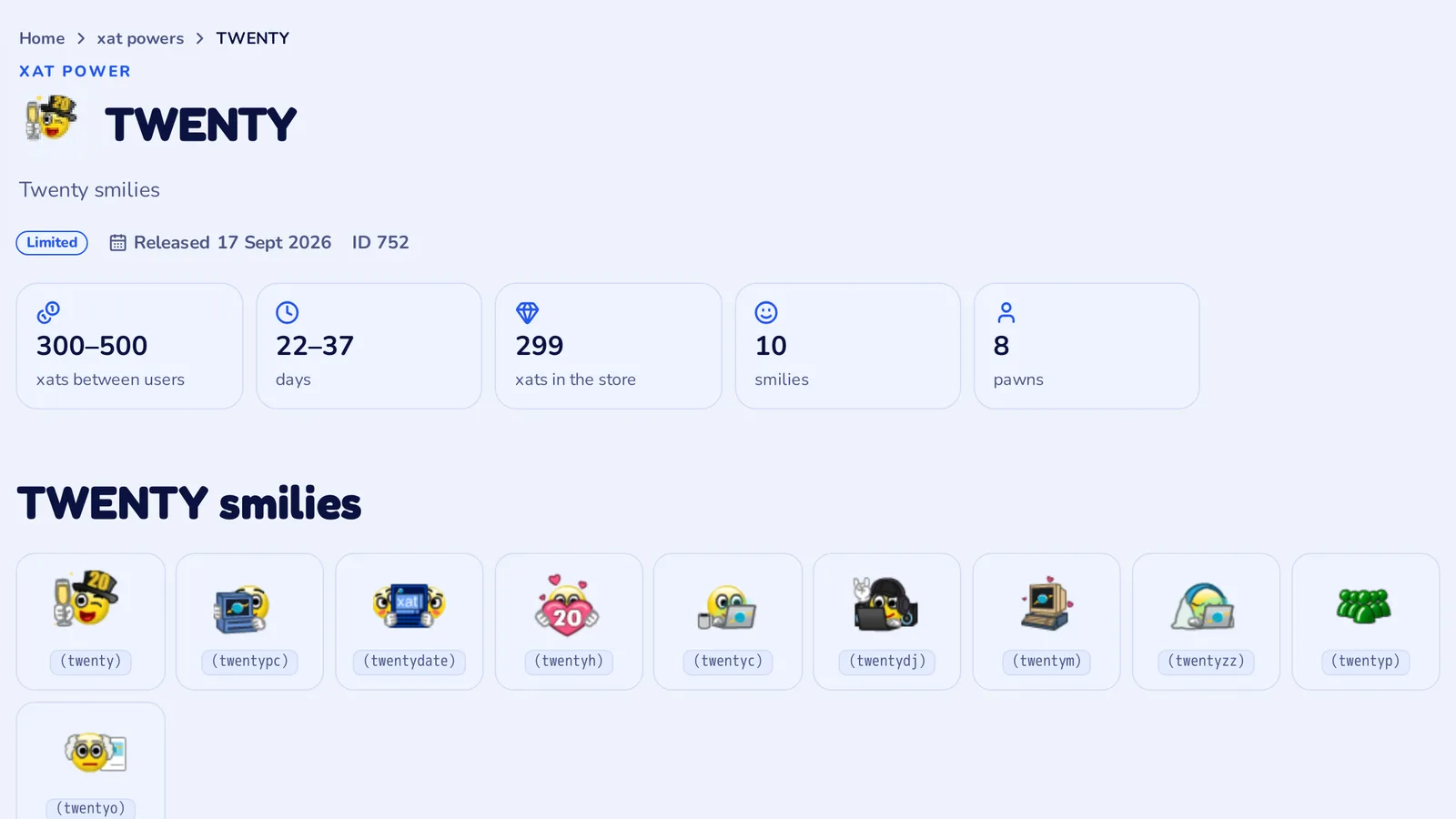
Further down you find the price history, the releases in the store (when and how many), the pawns with their codes, and the hugs, jinxes and stickers of the power. Try also GOLD, JOE or ROSHI.
Power auctions and promoted chats
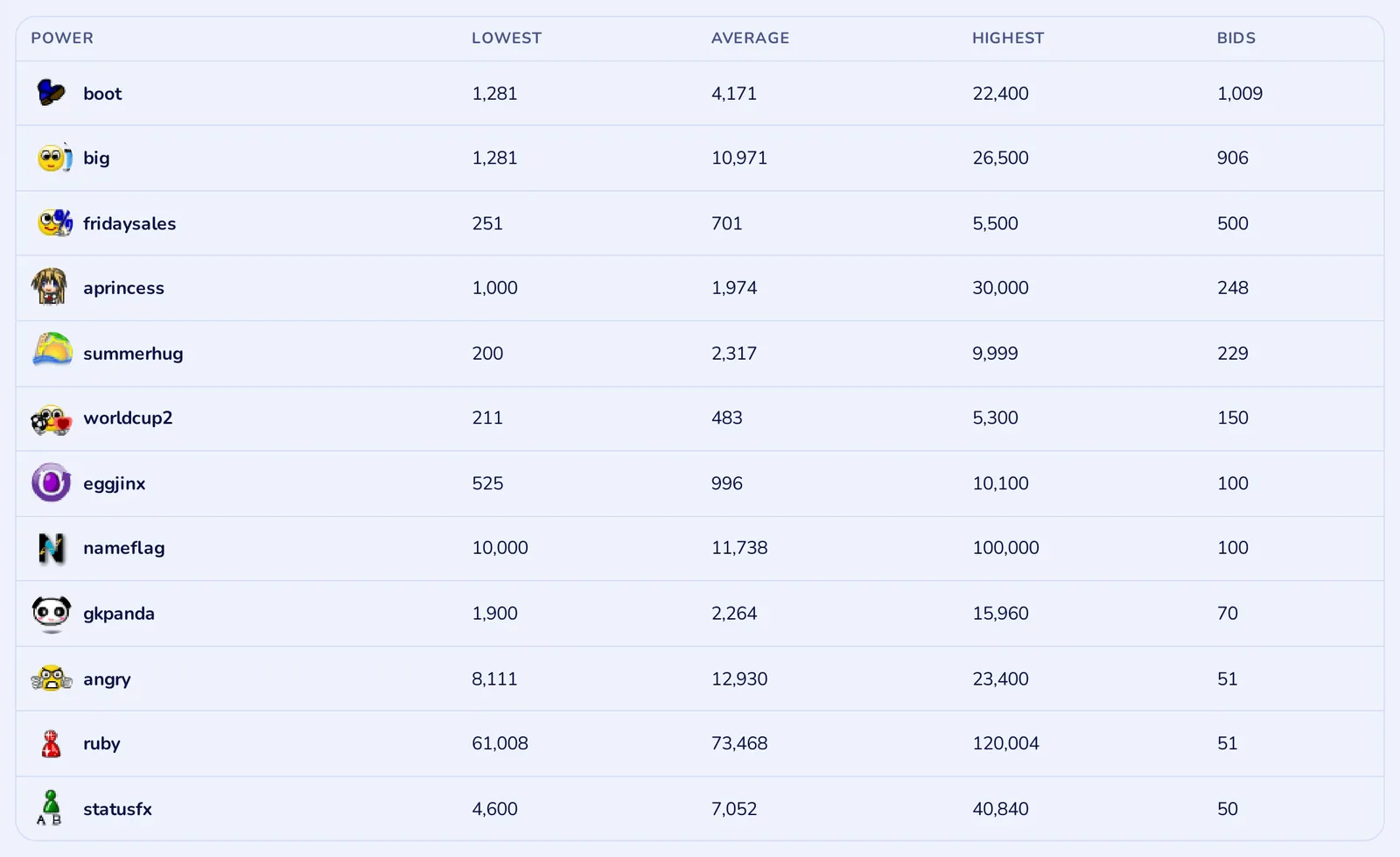
On the same xat powers page you see the power auctions on xat, with the lowest, average and highest bid, and the chats that are promoted right now.
xat tools
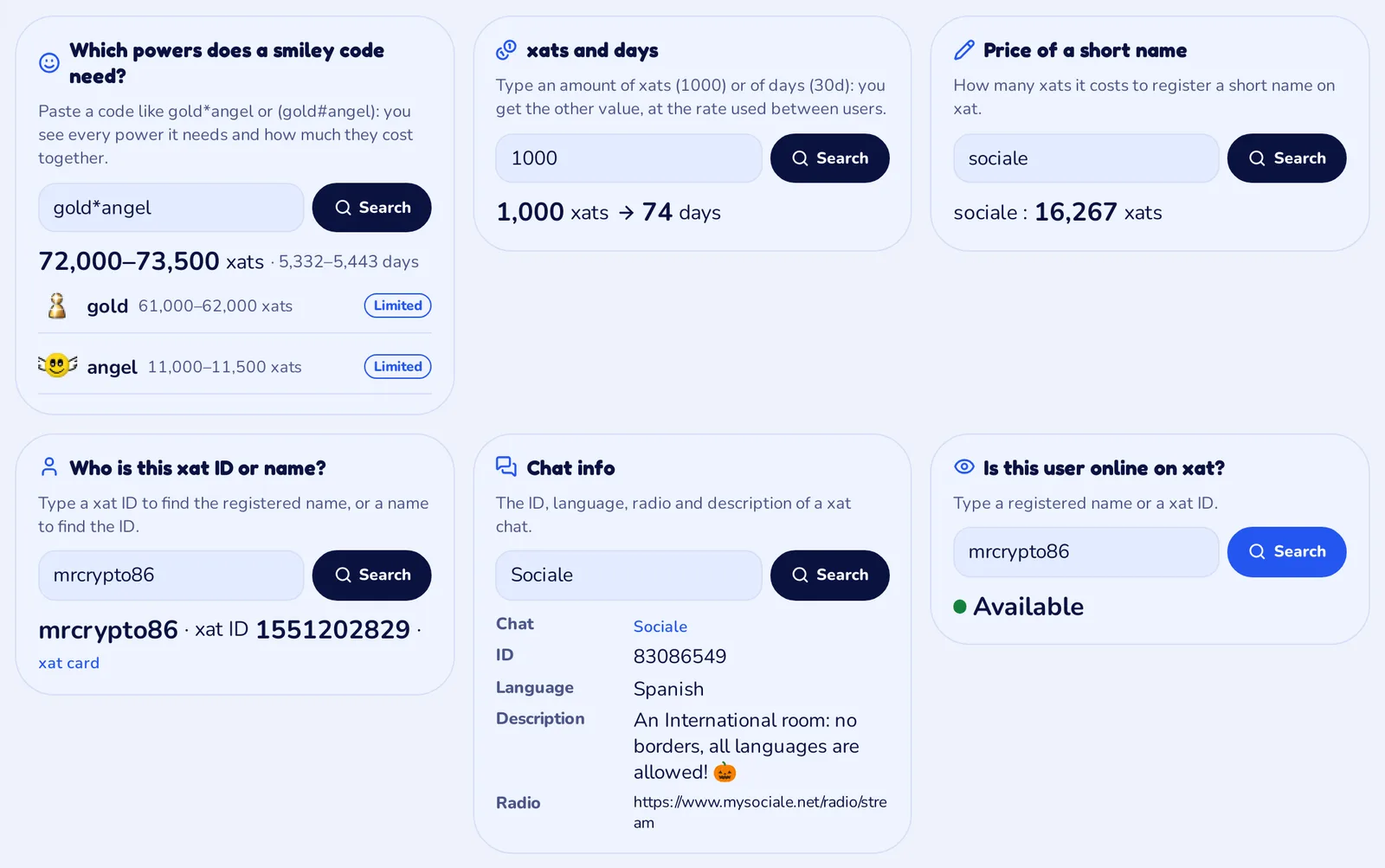
The xat tools page answers the questions we hear every day in the room. Type and get the answer, no account needed:
- Which powers does a smiley code need? Paste a code like
gold*angel: you see every power it needs and how much they cost together. Try it. - xats and days: type 1000 or 30d and get the other value.
- Price of a short name on xat.
- Who is this xat ID or name? From an ID to the registered name, or the other way round.
- Chat info: ID, language, radio and description of any xat chat.
- Is this user online on xat?
The new xat card
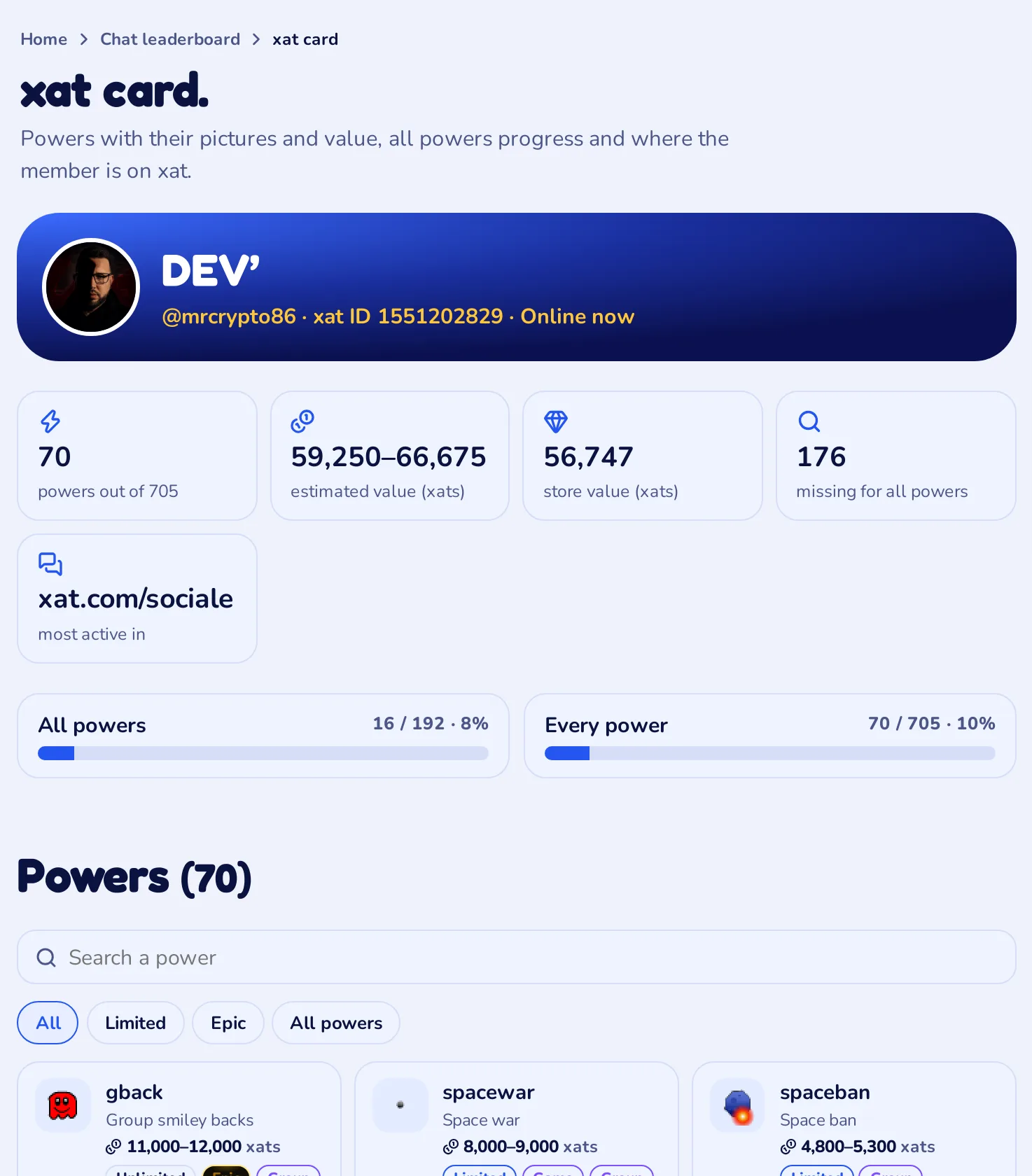
When you type !userinfo in the Sociale room, MewBots gives you a link to your xat card. It now shows every power with its picture, its price and its type, sorted from the most valuable. If you have many powers you can search them and filter by Limited, Epic, Doubles and All powers.
Two bars show how far you are with All powers and Every power, and tapping a power opens its page.
Two new widgets for your profile
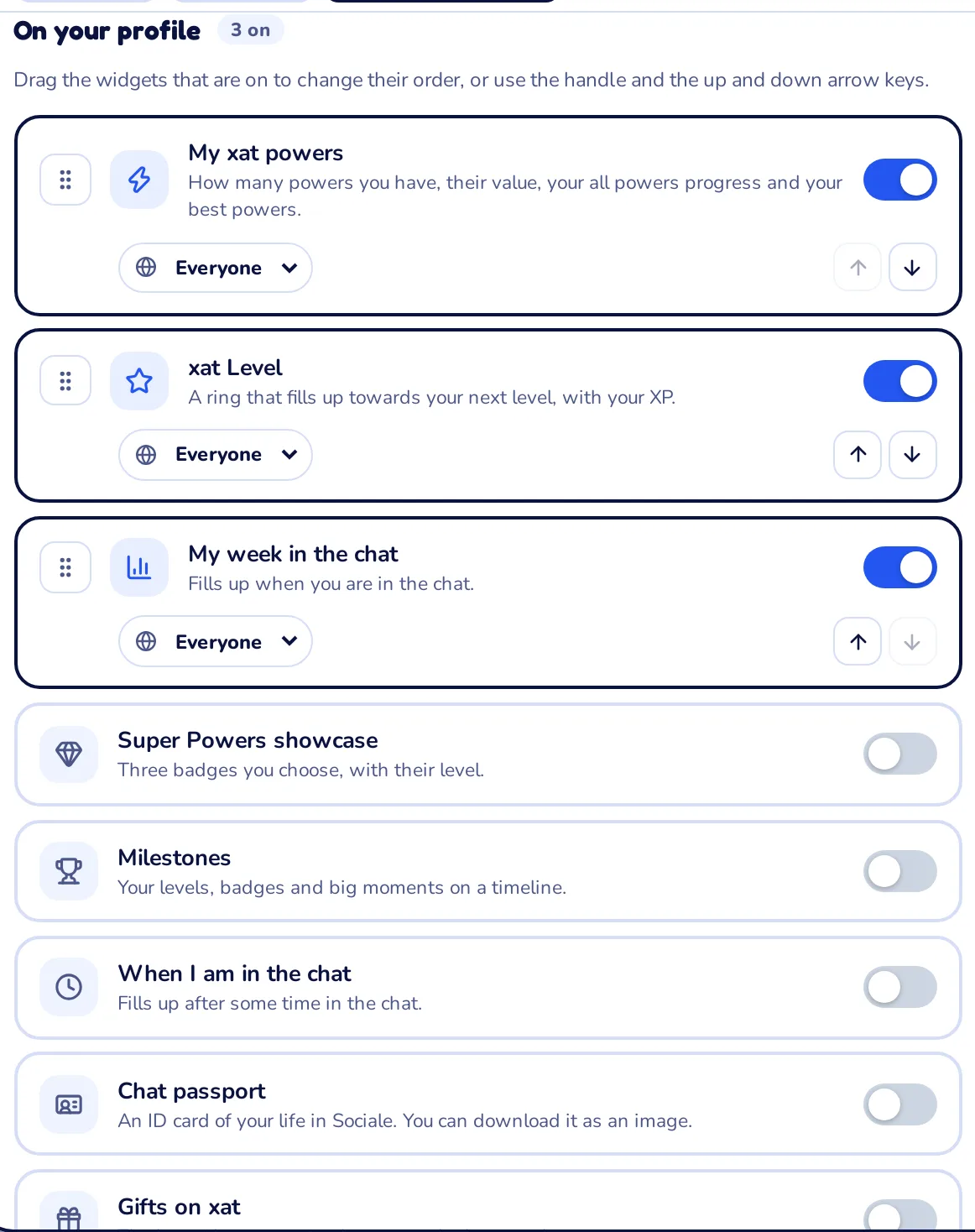
If your Sociale Card is active, you can show your xat powers on your profile with two new widgets:
- My xat powers: how many powers you have, their value, your All powers and Every power progress and your 8 most valuable powers, each one with its picture.
- Gifts on xat: the last gifts you received on xat and who sent them.
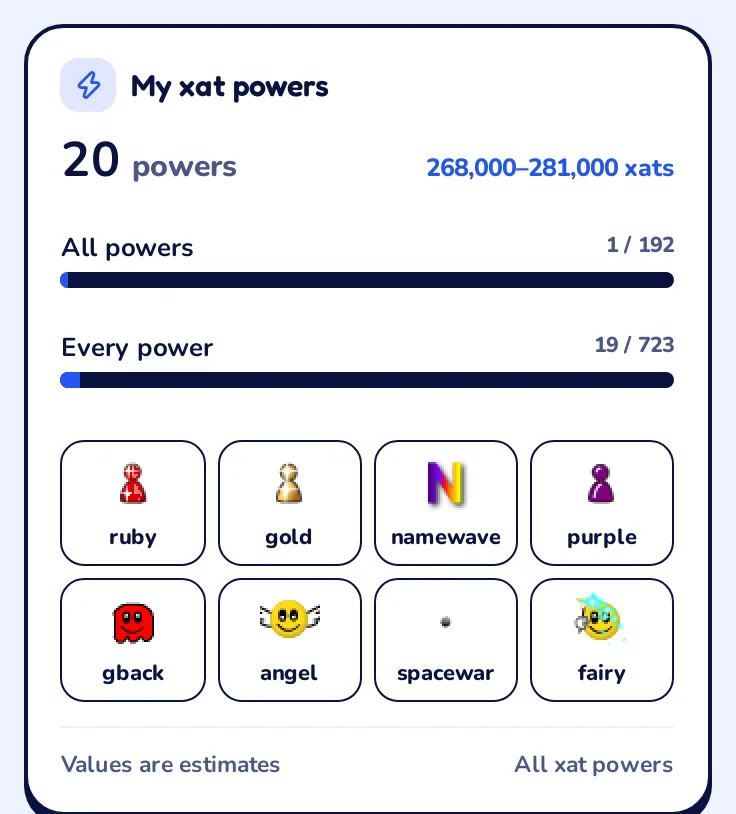
They are off until you turn them on, and for each one you choose who sees it: everyone, members, followers, friends or only you.
How to turn on the widgets
- Open your profile.
- Tap Customize widgets, or go straight to Chat widgets.
- Under On your profile, turn on My xat powers and Gifts on xat.
- Choose who sees each widget and, if you want, move them up or down.
- Save: your profile shows them right away.
No Sociale Card yet? It is free: ask for it here with your xat username and ID.
Also on your phone
Every page works on your phone too, and you can add Sociale to your home screen like an app.
Where the data comes from
Your powers come from MewBots, the bot of our room. The power list, prices, smilies and auctions come from two community services, illuxat and xatBlog, and the icons from xat. The list is updated every few hours. Prices are estimates of the trades between users, not official xat prices.
Sociale is a community group on xat, not run by the xat company. We will never ask for your xat password.
Try it now
- All xat powers
- xat tools
- Turn on your widgets
- Join the Sociale room and type
!userinfo
Something to add or a tool you would like? Tell us in Ideas.